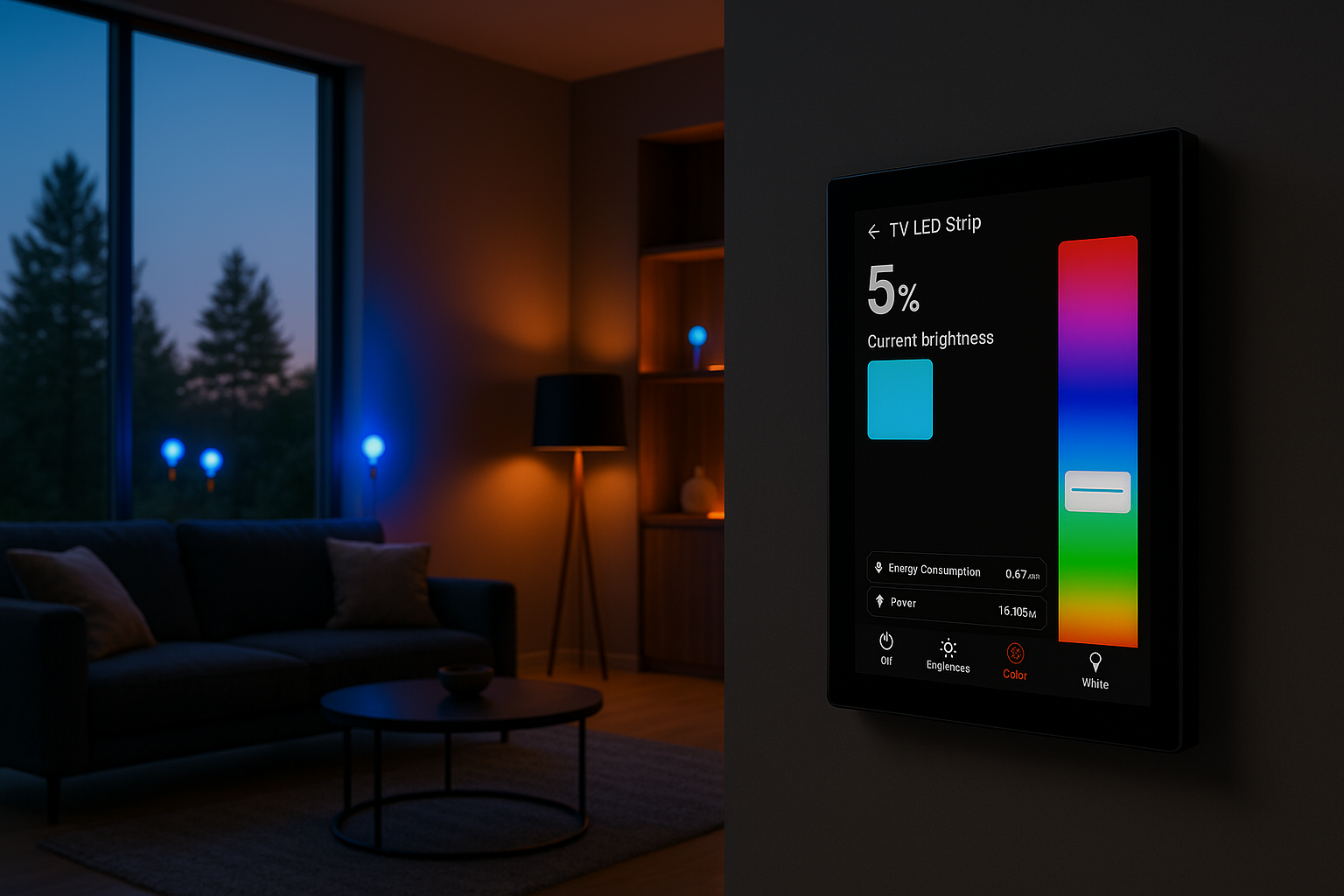
Open Source Smart Home Display
Control Your Smart Home From the Wall
A customizable control panel for lights, sensors, thermostats, and more — all in one intuitive touchscreen interface.
Features
Everything You Need
Powerful features designed to make your smart home experience seamless and intuitive.
Easy Integration
Quickly connect existing smart home devices with plug-and-play support.
Intent-Driven UI
Navigate domains, rooms, and scenes through a swipeable deck with auto-generated views.
Powerful API
Communicate with panels programmatically via REST and WebSocket.
Admin Interface
Manage panels through a full-featured web-based dashboard.
Flexible Design
Intent-Driven Deck Navigation
Navigate your home through a swipeable deck of views — auto-generated room overviews, domain pages for lights, climate, shading, and media, plus custom dashboard pages with drag-and-drop tiles.
Learn More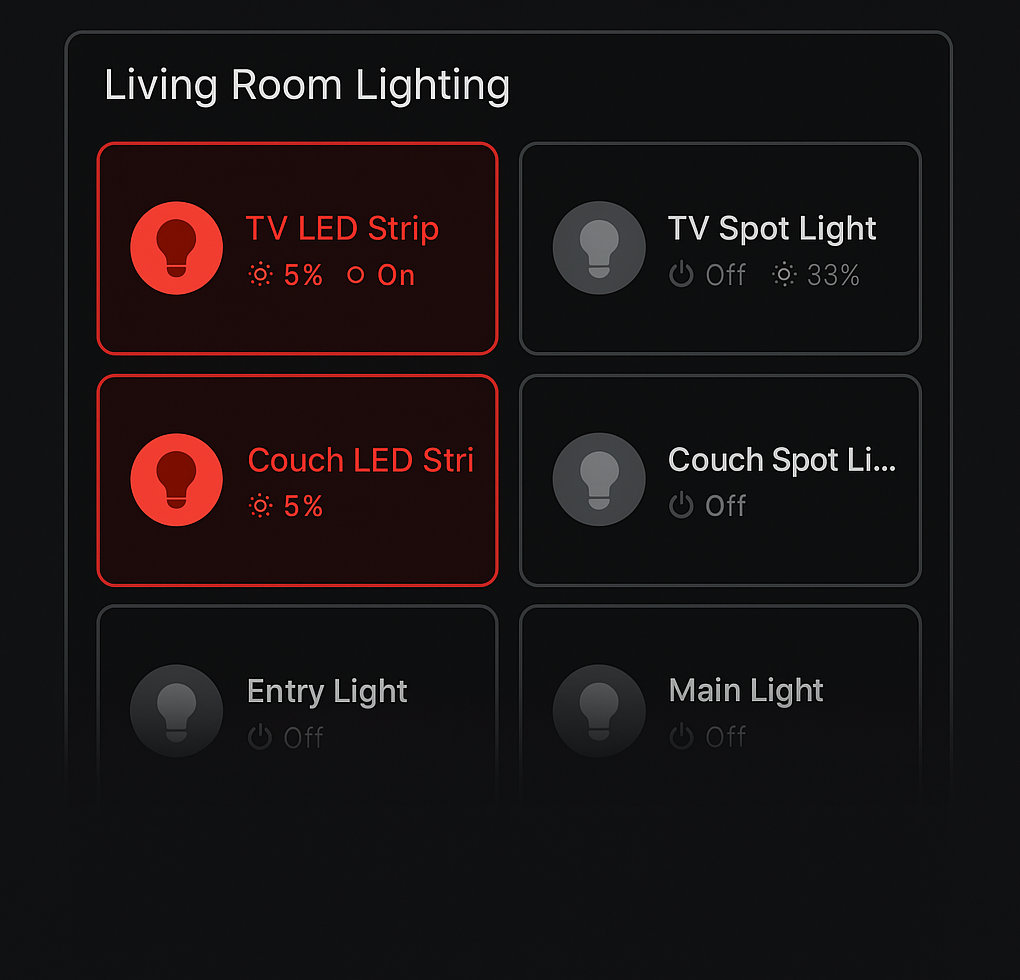
Admin Panel
Effortless Device Management
Use the admin interface to organize and manage all your smart panel devices — from adding new devices and defining channels to editing properties and monitoring current status.
Explore Admin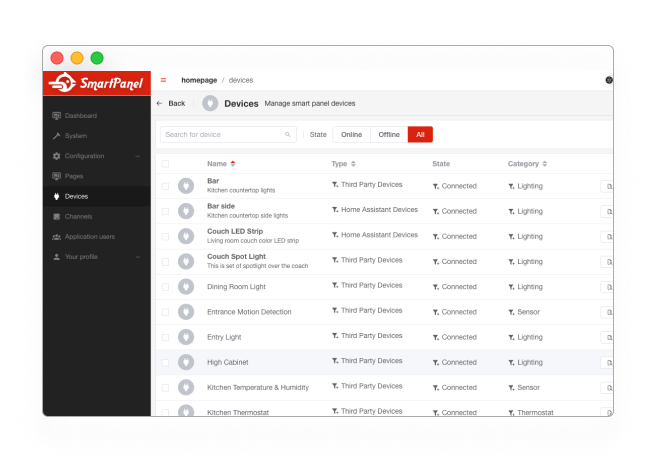
Architecture
How It Works
The Smart Panel ecosystem is built around a central backend that bridges the configuration interface, real-time display, and third-party integrations.
Optimized for Embedded Devices
Smart Panel is designed to run directly on embedded Linux devices like the Raspberry Pi, paired with touch displays — no cloud required.
Developer Experience
Built for Developers
Fully open and developer-friendly. With OpenAPI schemas, WebSocket communication, modular architecture, and simple integrations — it's made for builders.
OpenAPI Spec
Fully documented backend via OpenAPI — available for introspection, testing, and automation.
WebSocket Support
Real-time device state updates and bi-directional control through modern socket communication.
Modular Design
Create plugins or add features easily using the backend's flexible plugin architecture.
Open Source
Explore and contribute on GitHub. The code is transparent, clean, and documented.
Integrations
Works With Your Devices
Out of the box, Smart Panel supports powerful integration plugins — direct API-based devices, Home Assistant, and Shelly devices.
Third-Party API Devices
Push updates from your system and receive commands back via your API endpoints — a flexible solution for integrators.
Home Assistant
Sync with your existing Home Assistant instance and mirror device states, entities, and automations.
Shelly Next-Generation
Native support for Shelly Plus & Pro devices. Real-time control, energy monitoring, and discovery — cloud-free.
AI Assistant
Meet Your Smart Home Buddy
An AI assistant that lives inside your panel — chat with it, talk to it, and let it learn your routines. It observes your actions, detects patterns, and proactively suggests automations.
Text & Voice Chat
Ask questions, control devices, and get suggestions through natural conversation — type or speak.
Proactive Suggestions
Detects patterns like "lights off at 11 PM" and suggests automations, energy tips, and anomaly alerts.
Multiple AI Providers
Works with Claude, OpenAI, or Ollama — or runs fully offline with rule-based intelligence.
Multi-Channel Access
Chat from the panel display, Telegram, WhatsApp, or Discord — wherever you are.
Quick Start
Getting Started Is Easy
Set up your smart panel from scratch — install the apps, connect devices, design your layout, and transform a Raspberry Pi into a powerful control interface.
Prepare Your Device
Set up your Raspberry Pi with a touch display and install the Smart Panel apps.
Connect Devices
Link Home Assistant or configure third-party integrations using the API plugin.
Design the Layout
Use the Admin App to create pages and tiles for lights, sensors, climate, and more.
Enjoy the Display
The Display App automatically syncs your setup — delivering a smooth wall interface.
Join the Community
Smart Panel is open-source and powered by contributors like you. Dive into the code, suggest features, or ask for help.
Why Choose Us
Why Smart Panel?
Designed for embedded devices, optimized for clarity, and built with developer flexibility in mind.
Offline-first
No cloud lock-in. Everything runs locally on your Raspberry Pi.
Modular Architecture
Install only what you need with a clean plugin-based system.
Built for Touch
Tailored interface for embedded touchscreens and wall-mounted displays.
Beautiful UI
Designed with elegance and clarity, inspired by modern smart home UIs.
Fast & Lightweight
Runs efficiently on small devices with smooth transitions and real-time updates.
Open & Extendable
Open source, documented APIs, and made for developers to build on.
Tech Stack
Open Source. Built to Last.
Composed of modern, open technologies — easy to extend, contribute to, and run anywhere.

Display App
Built with Flutter for fast UI on embedded displays.

Admin App
Vue + Pinia + Vite — for real-time device and layout management.

Backend
NestJS + SQLite + InfluxDB — modular, fast, and schema-driven.

API
OpenAPI + WebSocket support for full integration and control.
Roadmap
What's Next?
The Smart Panel ecosystem is evolving. Here's a glimpse of what's ahead.
More Plugins
Integrations for Zigbee, Z-Wave, MQTT, and other systems — plus new UI plugins for pages, tiles, and data sources.
Multi-Display Management
Manage multiple panels from a single backend instance — ideal for larger homes or grouped setups.
Custom Widgets
A widget SDK is planned to allow developers to build and share custom tiles and controls.
Full Spec Coverage
Continued work on supporting all device types and capabilities — including advanced sensors and controls.
Desktop Admin App
Explore a standalone cross-platform desktop app for local device management and configuration.
Custom Hardware
A dedicated wall-mounted display powered by open hardware — designed to run Smart Panel out of the box.
Ready to Build Your Panel?
Set up your Smart Panel in minutes with our step-by-step guide. Join the growing community of smart home enthusiasts.